The app, up close.
Explore every part through photos and video. Each preview explains what you are seeing, what data it needs and what you can choose in the app.
Promotional previews and illustrative data. Screens, availability and results can vary by platform, version, country, permissions and account.
Training, from plan to session
Plan your week, follow each set, record cardio and sport, and train from your wrist.
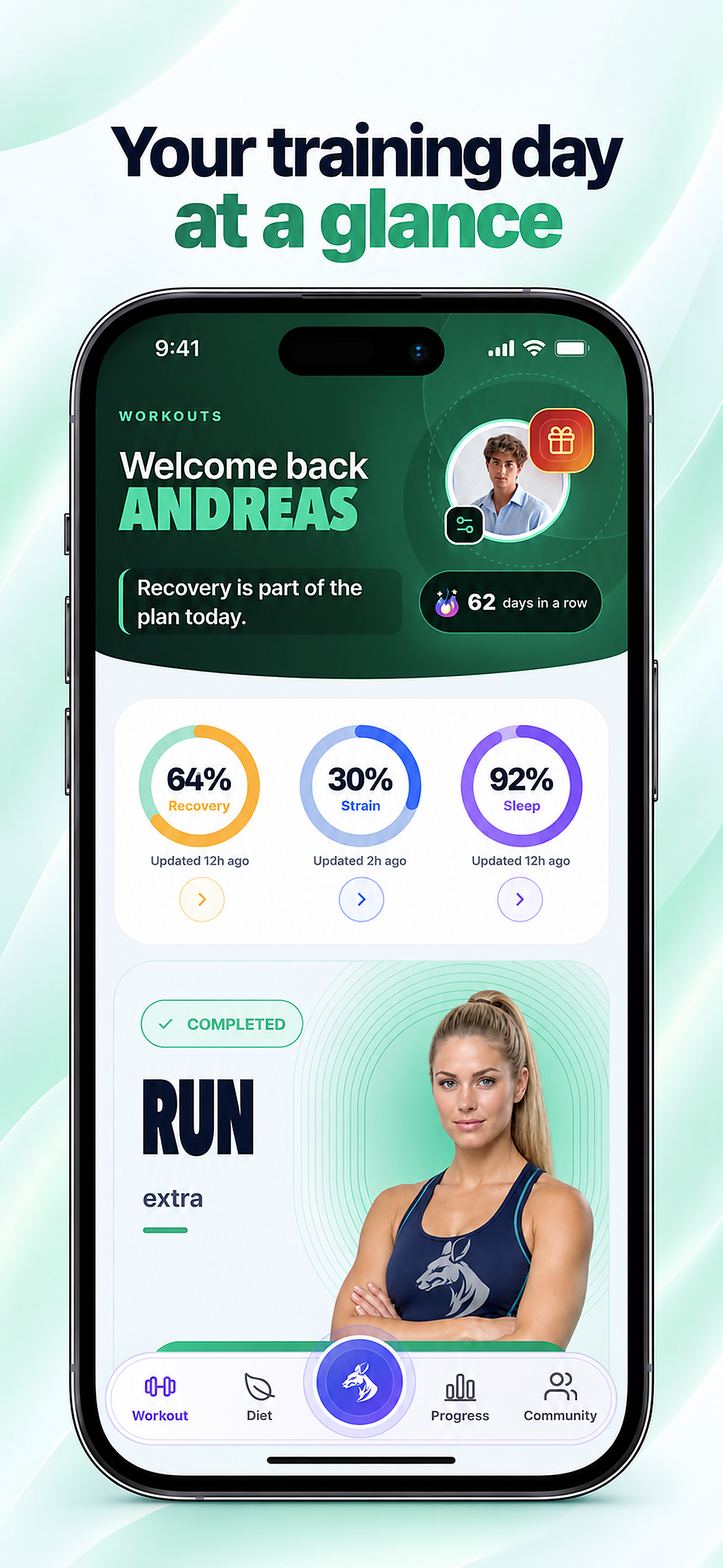
Your training day
The Workout home brings today’s session together with Recovery, Strain and Sleep. The rings depend on available data; planned activity and completed sessions remain in one daily view.
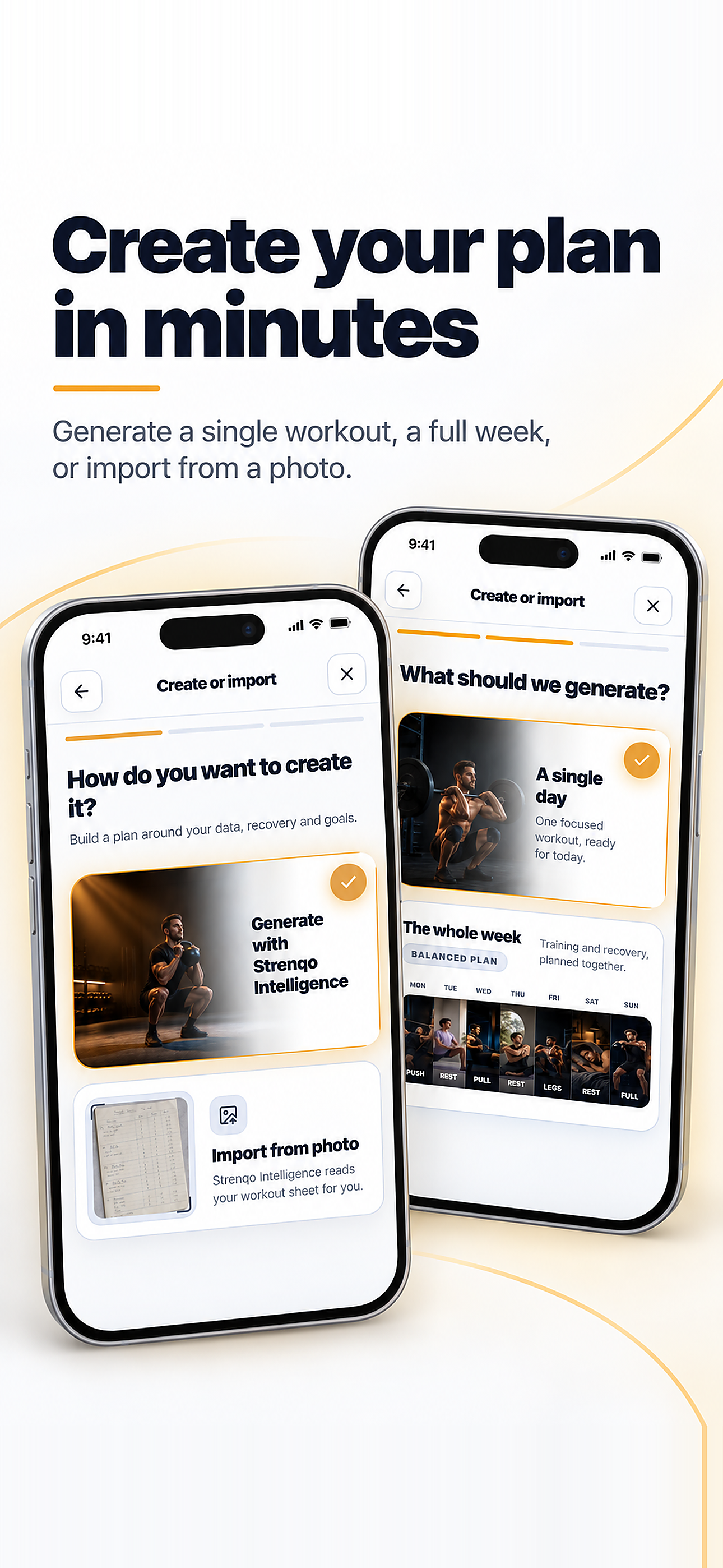
Create or import a plan
Start with one workout or a whole week. Intelligence can prepare a draft from your goals and preferences, or you can import supported text, files and images. Review the exercises and schedule before applying a plan.
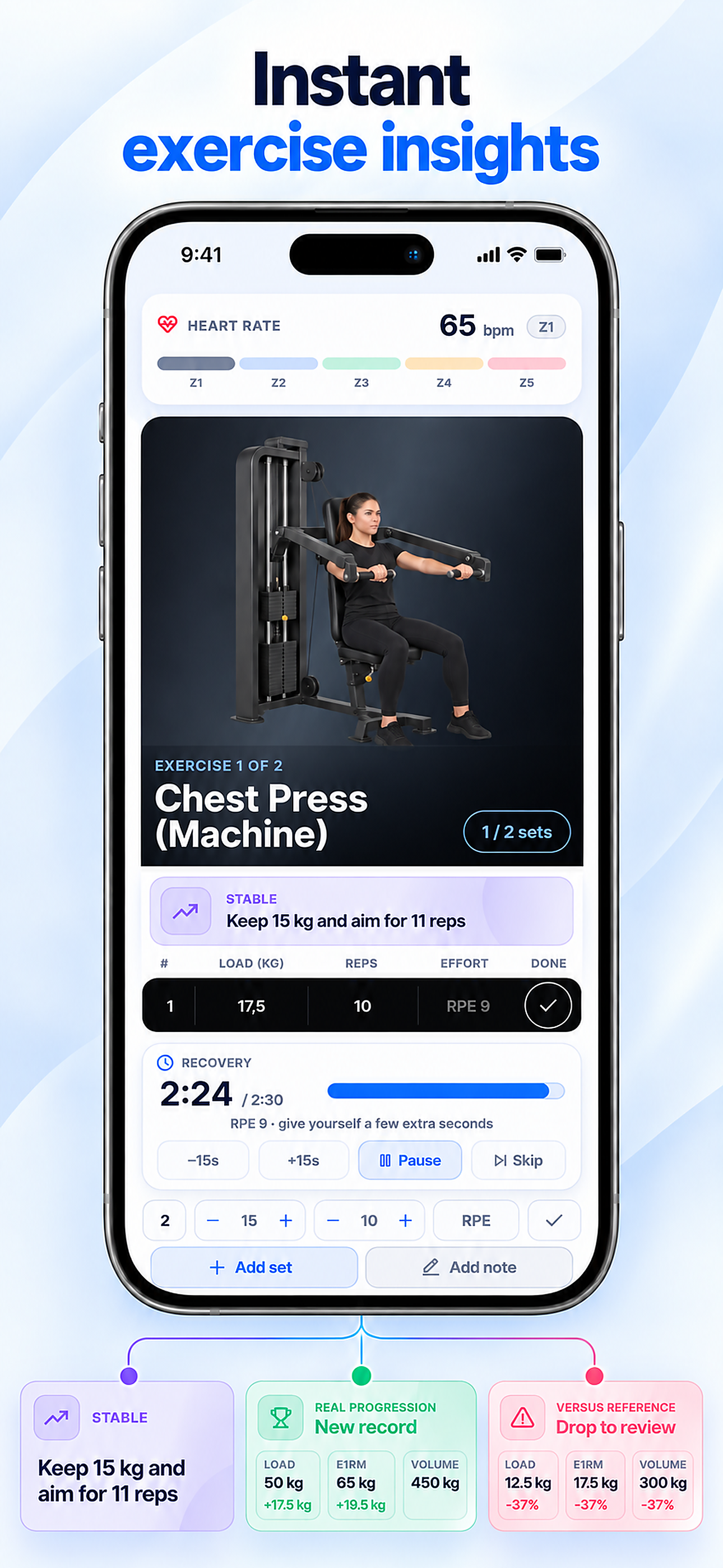
Follow every set live
The strength-session view keeps exercise artwork, sets, load, reps, effort and rest timer together. A compatible sensor can supply live heart rate; performance cues are suggestions to assess against your own session.
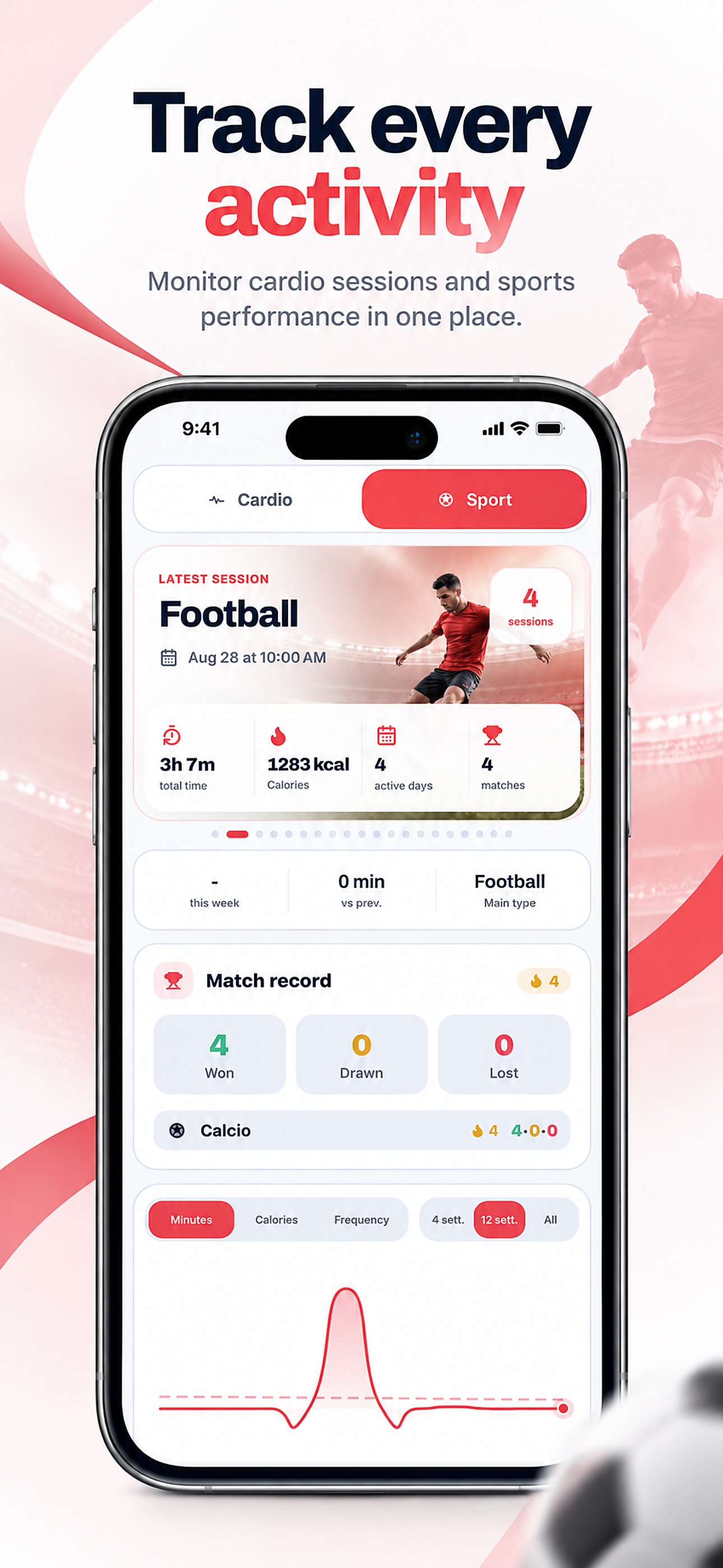
Cardio and sport belong here too
Record supported cardio and sport sessions, then review time, frequency and performance history. Distance, pace, heart rate and GPS depend on the activity, permissions and device used.
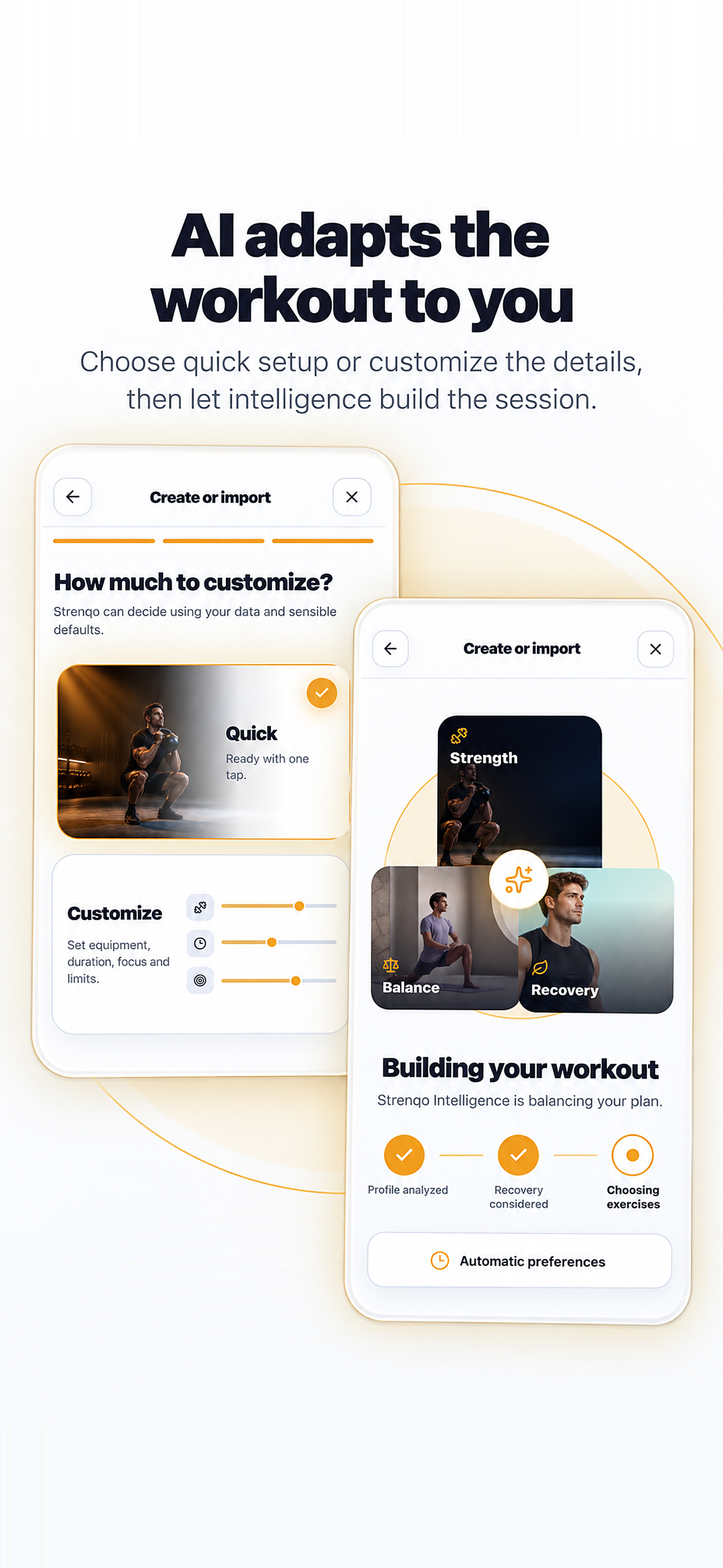
Adjust the workout brief
Choose a quick starting point or specify equipment, duration and focus for an Intelligence draft. Available profile and recovery context can shape the proposal; inspect and edit the result before using it.
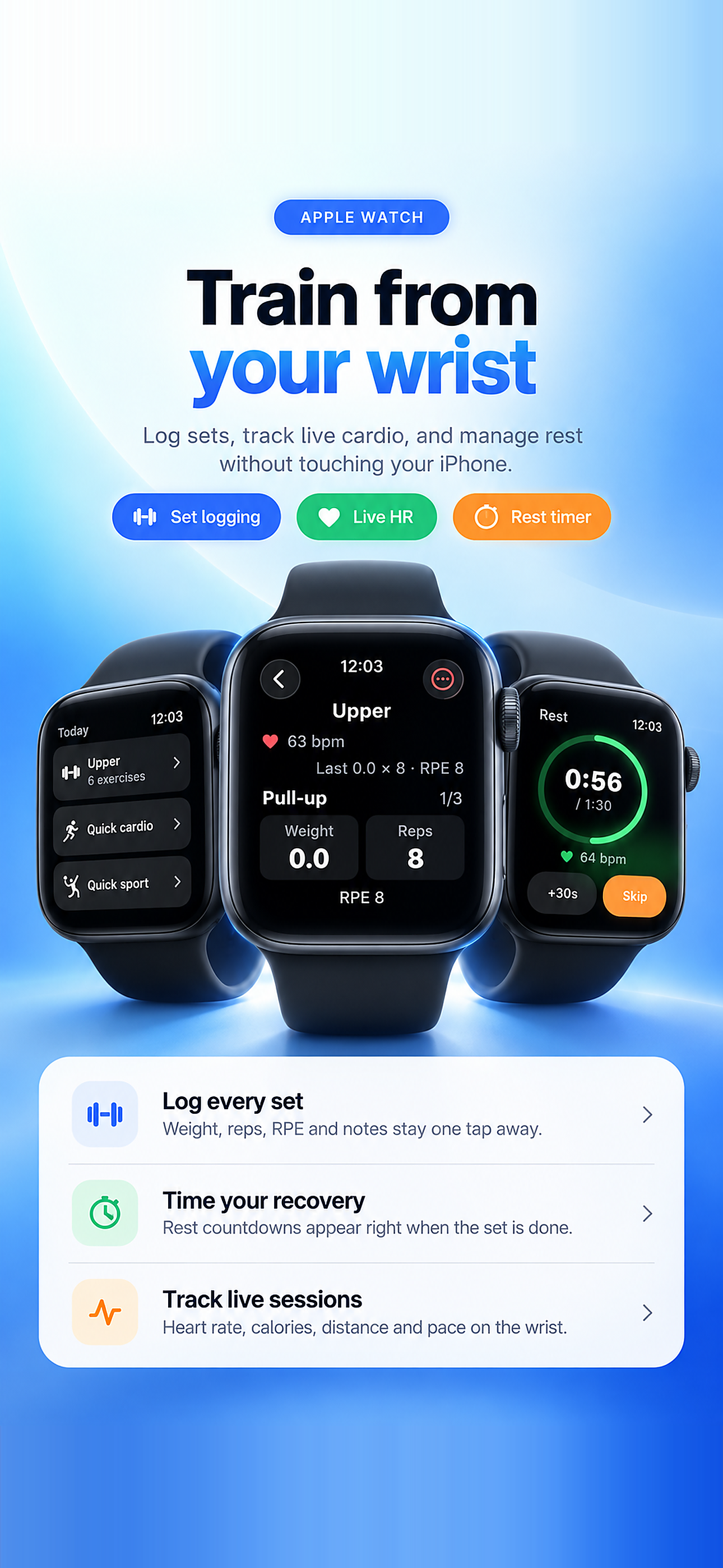
Train from Apple Watch
The companion app brings supported workouts, set logging and rest controls to your wrist. Live readings and session measures depend on the watch, permissions, sensors and installed app version.
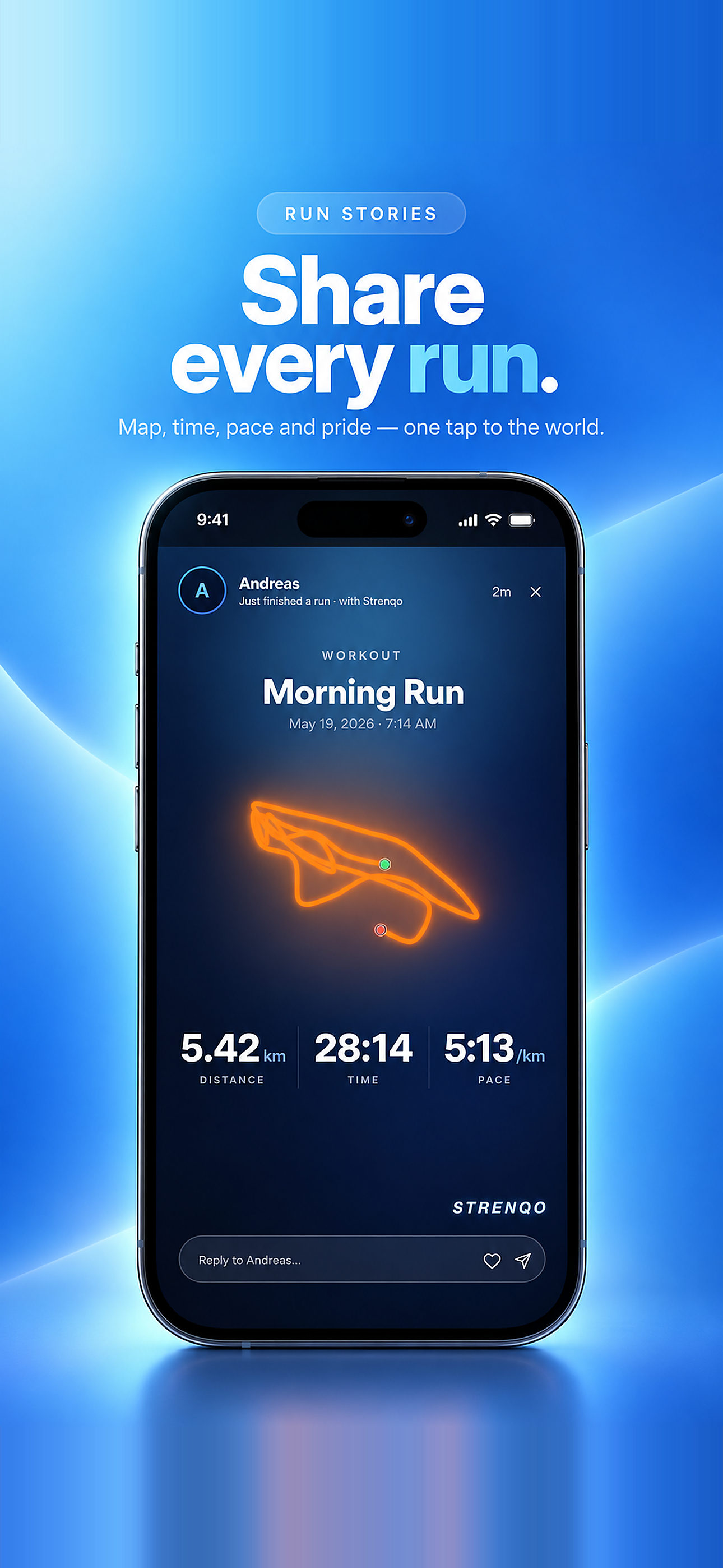
A run you can share
A completed outdoor session can become a selected share card with route, distance, time and pace when those records exist. Sharing is your choice; recording a workout does not automatically publish it in Community.
- 01The route is shown only when a supported outdoor recording contains location data.
- 02Distance, elapsed time and pace come from that completed session.
- 03The share card is a choice made after recording; your private log stays private.
Recovery and body signals
Read sleep and recovery context alongside your own check-ins.
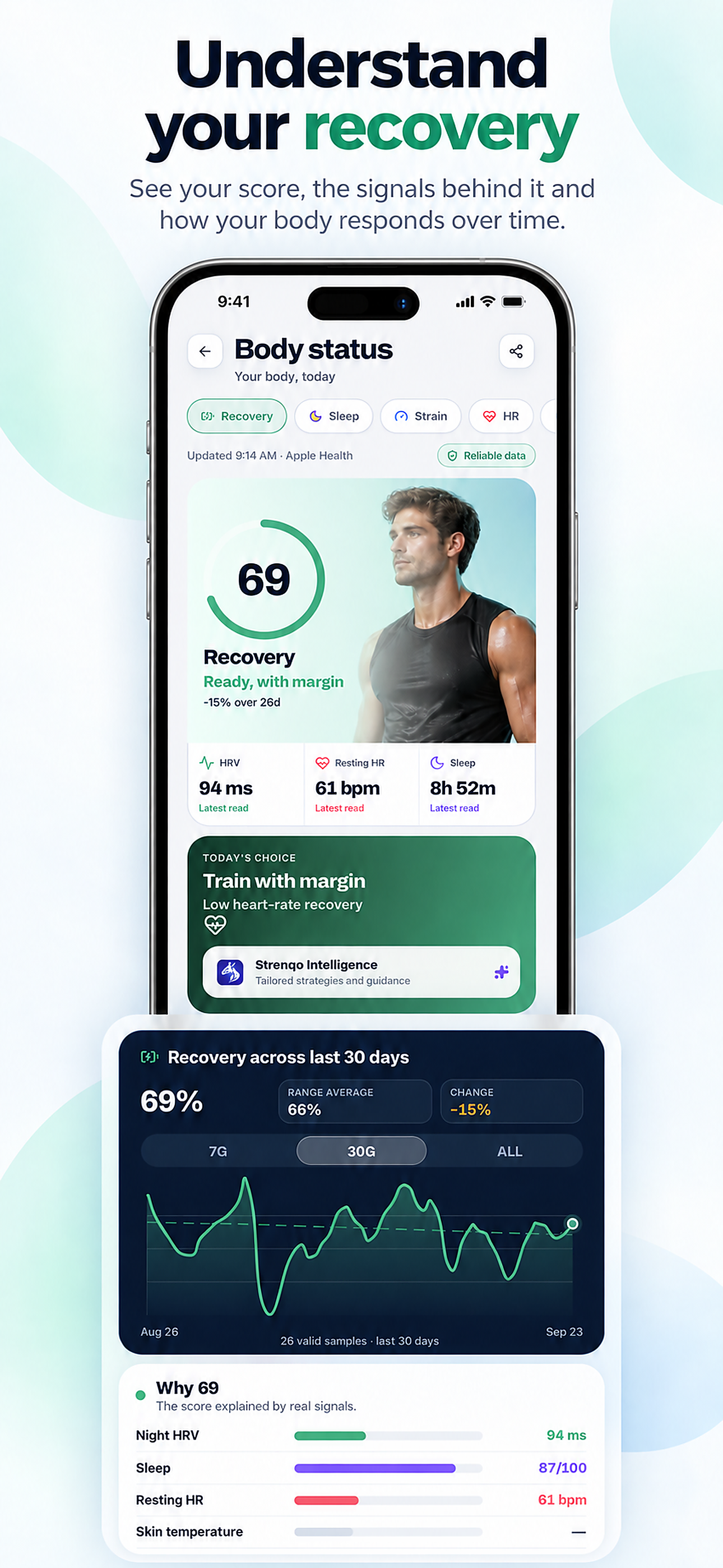
Understand your recovery
Recovery brings the current Strenqo estimate together with its source, recent readings and history. HRV, resting heart rate and sleep can contribute when available; missing information is not a zero score.
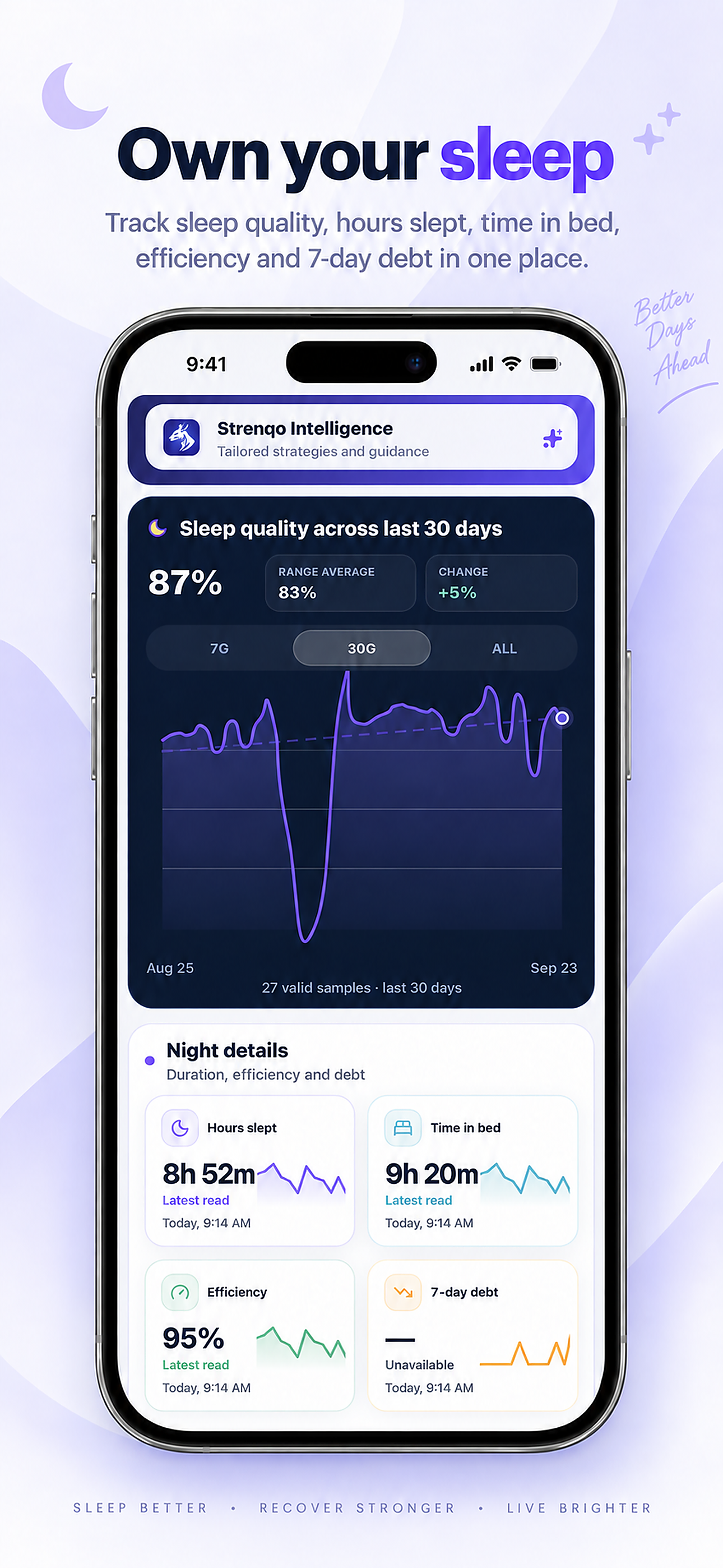
See the nights behind the trend
Sleep history can show quality, hours slept, time in bed and efficiency over a selected period. Seven-day debt and detailed stages appear only when enough compatible source data exists.
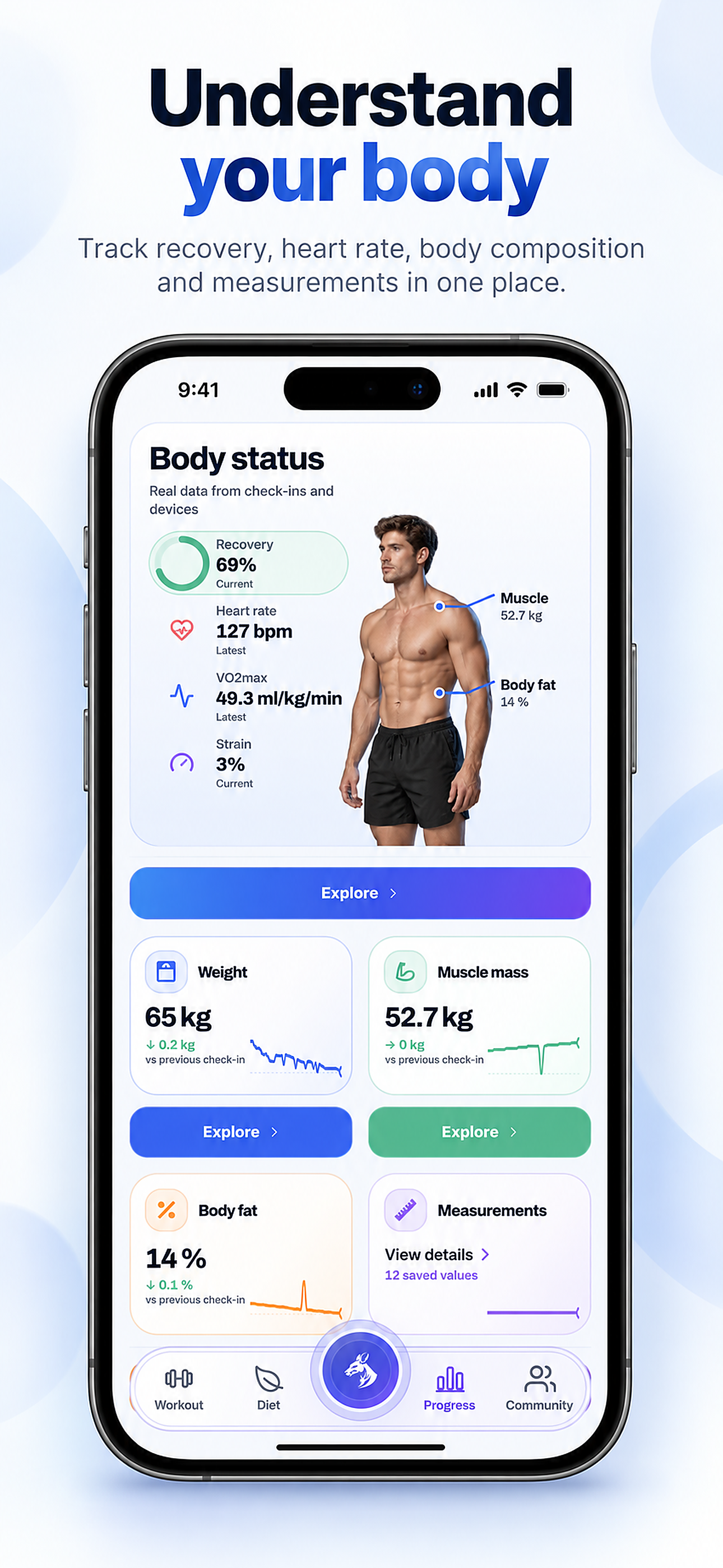
Your body status, in one view
Body status connects available health readings with weight, body composition and measurement check-ins. Each value has its own source and history; this example is not a diagnosis or a measured result for every user.
- 01Connected readings and manual check-ins remain distinguishable by source.
- 02Weight, body composition and measurements have their own histories.
- 03A missing reading is displayed as unavailable, rather than filled with a made-up value.
Nutrition that fits your day
Choose meal options and follow the path from plan creation to your diary.
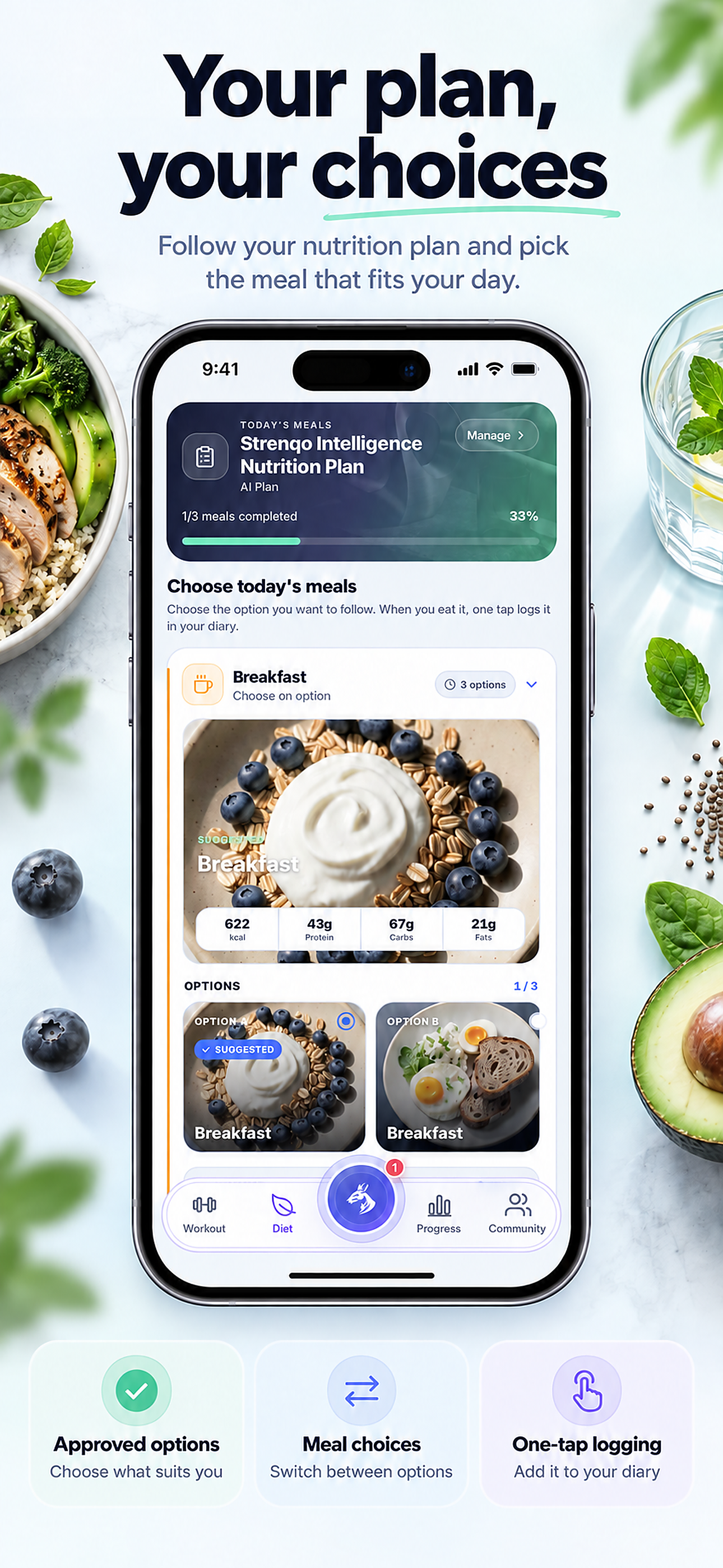
A plan with meal choices
Open the active nutrition plan, compare meal options and choose one for today. When you eat, log the selected meal in your diary; displayed calories and macros are estimates to verify.
From plan setup to a meal
A short recording follows the nutrition-plan flow: entering profile details, preparing the plan, opening it and choosing a meal. It shows an example account; check the resulting plan and food values before using them.
Progress in context
Connect body and nutrition records across the periods you choose.
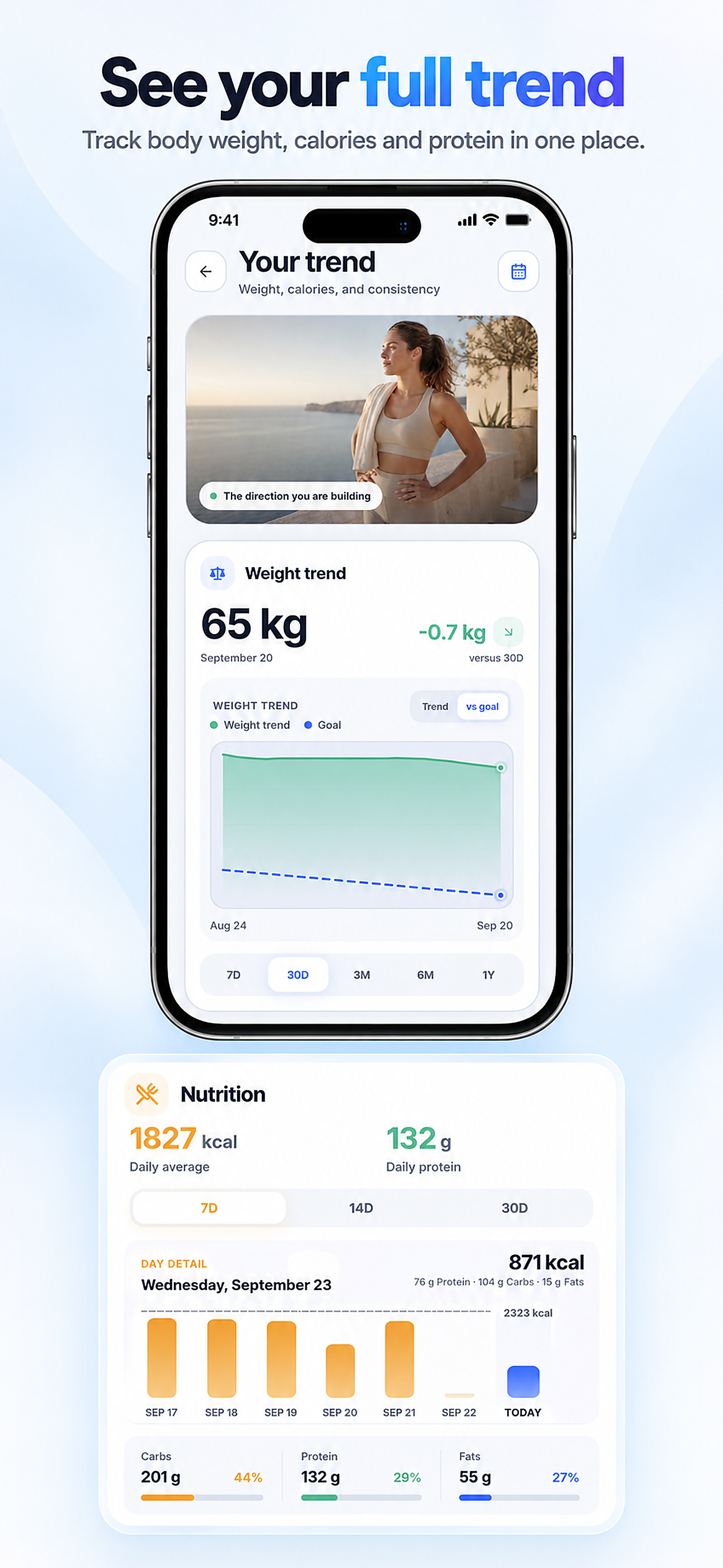
See the fuller trend
Choose a period to compare body-weight records with your goal and review nutrition alongside them. Calorie and protein summaries come from logged meals; gaps or incomplete days can change the picture.
- 01The weight chart compares recorded values with the selected goal and period.
- 02Nutrition summaries use the meals actually saved in the diary.
- 03Open the underlying days to understand gaps before interpreting an average.
A community you choose to join
Share selected sessions and take part in eligible rankings on your terms.
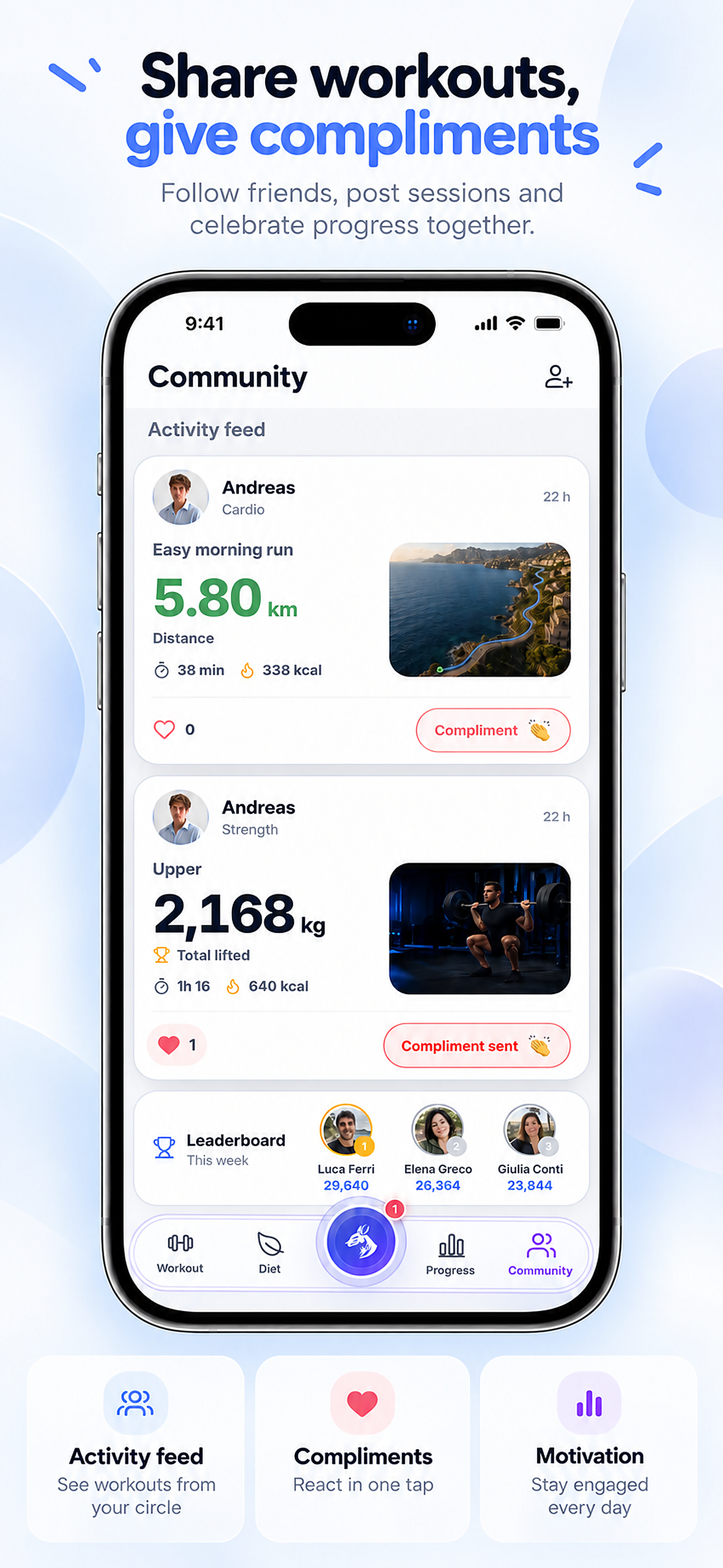
Share the sessions you choose
The optional Community feed shows workouts that people deliberately post. Follow others, view shared session details and send compliments; private training history stays separate unless you choose to share.
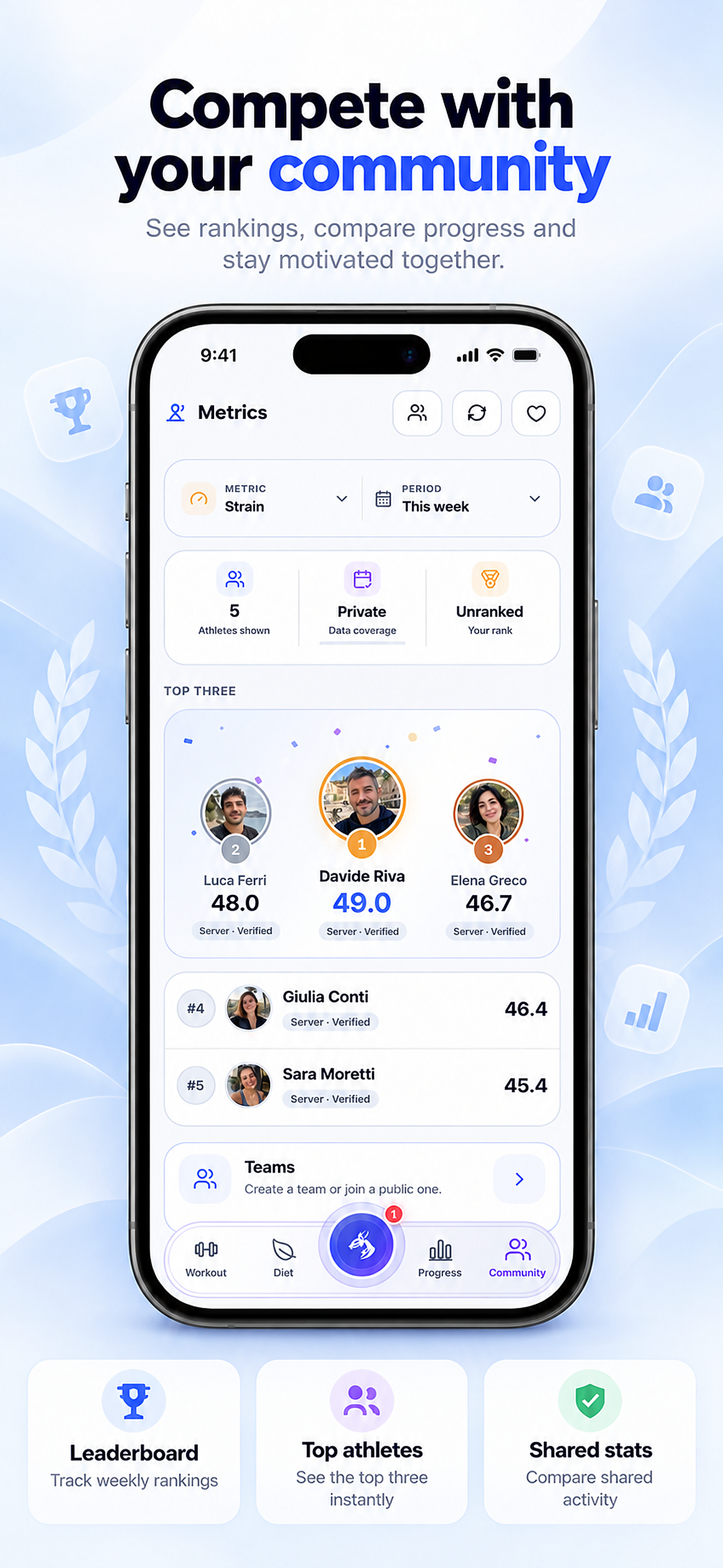
Opt in to shared rankings
Eligible rankings compare selected shared aggregates for a metric and period. Visibility, data coverage and participation settings matter; a private or unranked profile is not automatically included.
Intelligence inside the app
Ask questions with available context and review suggestions before acting.
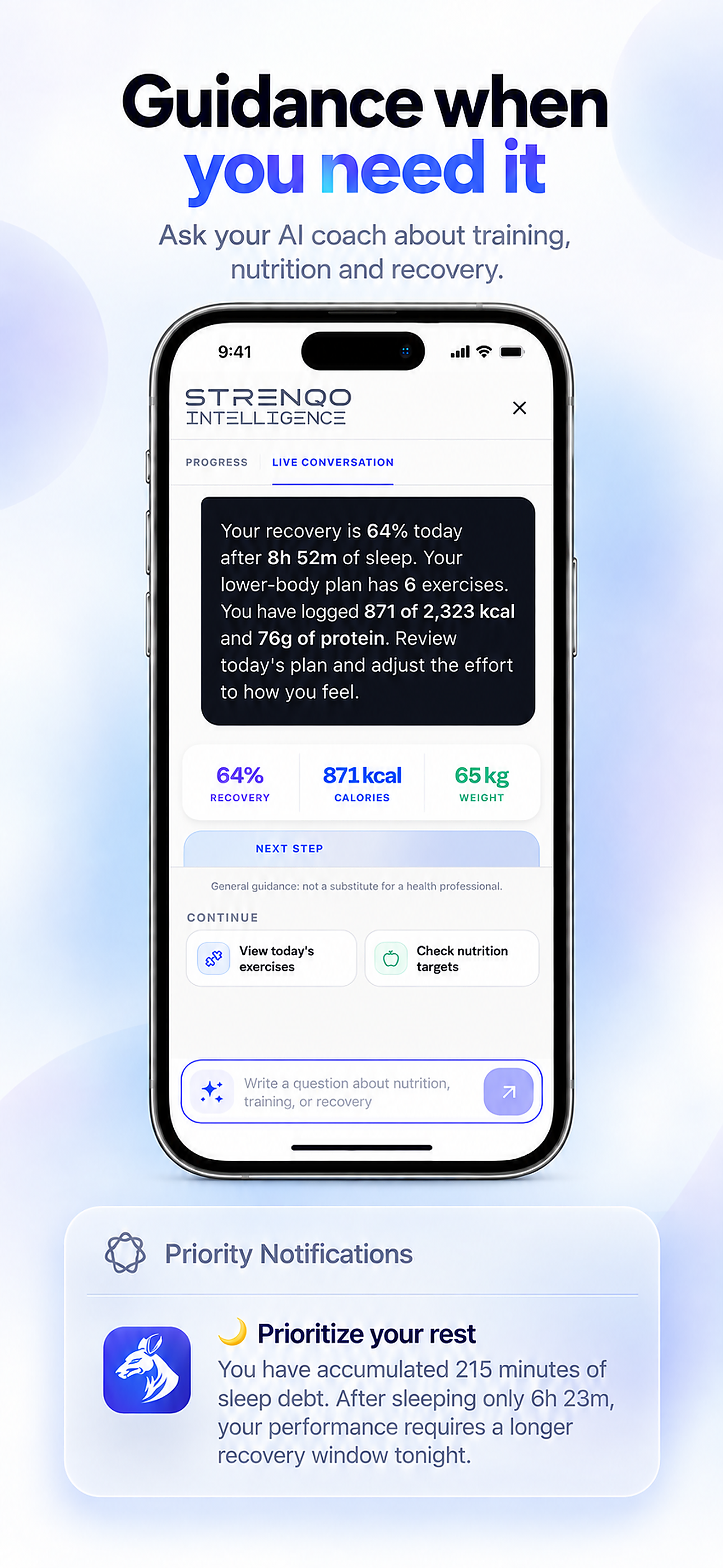
Ask Intelligence with context
The assistant can use training, nutrition and recovery information you make available to explain a situation or propose a next step. Its response is AI-generated; check the values and confirm any supported action yourself.
- 01Available training, nutrition and recovery records can inform the conversation.
- 02Suggested next steps are proposals to review, not automatic changes.
- 03AI can be wrong or miss context; confirm the data and your choices.
 · OCT 2026
Make room for
your next chapter.
is preparing for its October 2026 release. Explore what is coming, or get in touch with the team.